How to Run an Art or Photo Contest: A Complete Judging Guide
Table of Contents
- Why Art and Photo Contests Matter
- Planning Your Contest: The Foundation
- Contest Format Options
- Designing Your Scoring System
- Setting Up Your Contest
- Judging Approaches and Managing Subjectivity
- Award Categories and Recognition
- Common Mistakes to Avoid
- Tips for Remote and Virtual Contests
- The Reveal: Making It Memorable
- Leveraging RevealTheWinner for Seamless Judging
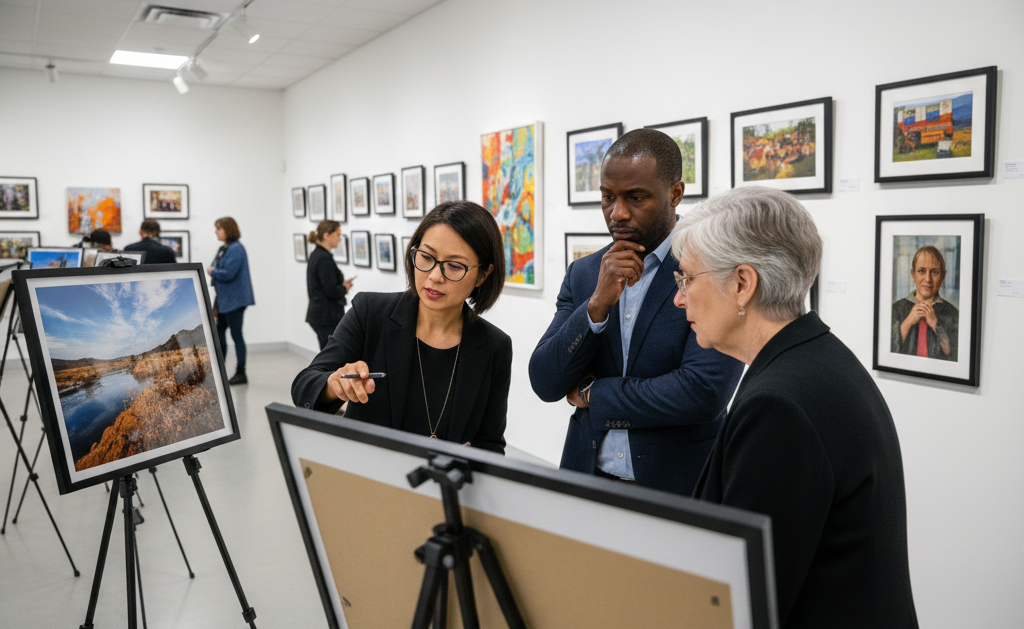
There's something magical about bringing artists and photographers together to celebrate their work. Whether you're organizing a school art show, a community photo challenge, or a workplace creativity competition, the right contest framework can transform good entries into an unforgettable experience. The key isn't just finding the best work—it's creating a system that's fair, transparent, and thrilling for everyone involved.
In this guide, we'll walk you through everything you need to run an art or photo contest that flows smoothly from planning to the dramatic reveal. We'll cover how to design clear judging criteria, manage entries effectively, and use technology to make the judging process seamless—especially when judges need to evaluate dozens of visual works from their phones.
Why Art and Photo Contests Matter
Art and photo contests serve a powerful purpose across different communities. They celebrate talent, encourage participation, build community connection, and create moments of pride for creators. Here's why they work so well:
Schools and Educational Settings use art contests to motivate students, provide opportunities for creative expression, and celebrate artistic achievement. A photo contest in a high school can boost morale, showcase diverse perspectives, and give recognition to students who might not excel in traditional academic areas.
Community Organizations find that photo and art contests bring people together around shared interests. Whether it's a local photography club, an art association, or a community center, these contests give members a reason to create, participate, and celebrate together.
Workplaces increasingly recognize that art contests build culture, encourage creativity beyond job descriptions, and create a sense of belonging. A company photo challenge focused on "moments of innovation" or "teamwork in action" can strengthen workplace relationships while producing meaningful content.
Online Communities and Social Groups use art contests to engage members, encourage user-generated content, and create friendly competition. From gaming communities to professional networks, visual contests are a proven way to boost engagement and create viral moments.
Planning Your Contest: The Foundation
Before you open submissions, invest time in solid planning. A well-planned contest prevents confusion, attracts better entries, and makes judging significantly easier.
Choosing Your Medium
Decide what you want creators to submit. Will you accept photography, traditional painting, digital art, mixed media, or a combination? Each medium has different technical requirements and appeals to different audiences.
- Photography contests are accessible to most people with smartphones and work beautifully for themes like "your community," "moments of joy," or "local landscapes."
- Painting contests attract traditional artists and allow for more expressive, interpretive work. Consider if you need specific paint types (watercolor, acrylic, oil) or if all are welcome.
- Digital Art reaches an enormous audience and includes graphic design, digital illustration, and photo manipulation. Be clear about which tools are acceptable.
- Mixed Media contests encourage experimentation but require clear guidelines about what combinations are allowed.
- Sculpture and Three-Dimensional Work can be tricky for judging, but photography submissions of the work can work beautifully for remote judging.
Selecting a Theme
A compelling theme generates engagement and guides creativity. Vague themes ("create something beautiful") attract fewer entries than specific ones ("document a moment of resilience in your community" or "reimagine a classic story visually").
Themes work best when they're specific enough to inspire but open enough to allow diverse interpretations. "Resilience," "Connection," "Home," or "Change" give artists direction without constraining their vision. Consider your audience and community interests when selecting your theme—a workplace might choose "innovation," while a school might pick "growth and transformation."
Setting Clear Entry Requirements
Eliminate confusion by specifying:
- File format specifications (JPG, PNG for digital; physical dimensions for paintings)
- File size limits if submitting digitally
- Resolution requirements (especially important for printed display or judging on large screens)
- Entry deadline and submission method
- Whether artists can submit multiple entries
- Originality requirements and whether fan art or adaptations are allowed
- Any copyright or licensing terms
For photo contests, specify if entries should be unedited, minimally edited (exposure and color correction only), or if heavy post-processing is allowed. This clarity prevents disputes and ensures fair judging.
Contest Format Options
Open Submission Format
This is the traditional approach: artists submit entries over a defined period (typically 2-4 weeks), and then judges evaluate all work. It's straightforward, accessible, and works for any group size. The downside is that all judging happens at once, which can be overwhelming if you have hundreds of entries.
Themed Challenge Format
Variations include weekly photo challenges or "sketch-of-the-day" style contests where creators submit fresh work regularly. This format builds momentum and keeps participants engaged over longer periods. It's excellent for online communities and social groups where consistent engagement matters.
Bracket Elimination Format
Start with all entries, then judges eliminate weaker work round by round until finalists remain. This approach is more intensive for judges but works well when you want to celebrate finalists prominently and have limited time for full evaluation.
Designing Your Scoring System
This is where fairness and clarity matter most. Judges need a clear rubric to apply consistently, and contestants need to understand how their work will be evaluated.
Photography Contest Scoring
| Category | Weight | What Judges Consider |
|---|---|---|
| Composition | 30% | Leading lines, rule of thirds, balance, framing, visual hierarchy, and how effectively the photographer directs the viewer's eye |
| Technical Quality | 25% | Sharpness, exposure, color accuracy, lighting control, and appropriate use of ISO, aperture, and shutter speed |
| Creativity & Originality | 25% | Unique perspective, unexpected angles, fresh interpretation of the theme, and artistic vision beyond simple documentation |
| Impact & Storytelling | 20% | Emotional resonance, narrative quality, how effectively the image conveys meaning, and the strength of connection with viewers |
Scoring guidance: Use a 1-10 scale for each category, then multiply by the weight percentage to calculate total score. A photo scoring 8 for Composition (8 × 0.30 = 2.4 points) and 7 for Technical Quality (7 × 0.25 = 1.75 points) accumulates points across categories.
Art Contest Scoring
| Category | Weight | What Judges Consider |
|---|---|---|
| Technique & Execution | 30% | Skill with chosen medium, control of tools, understanding of fundamentals (color theory, perspective, anatomy as applicable), and quality of finish |
| Creativity & Originality | 25% | Unique vision, imaginative interpretation of theme, originality of approach, and artistic voice |
| Composition & Design | 25% | Overall visual organization, balance, use of space, color relationships, and how effectively the design communicates the artist's intent |
| Presentation & Impact | 20% | Professional presentation, visual impact, how the work engages and moves viewers, and effectiveness in conveying emotion or message |
Scoring guidance: Apply the same 1-10 scale methodology. For physical art contests, consider how presentation affects perception—a well-framed painting may score higher on presentation than the same unframed work.
Setting Up Your Contest
For Physical Art Displays
If entries are physical artworks, you'll need:
- A well-lit gallery space (natural or professional lighting)
- Clear labeling for each entry with artist number or name
- Consistent display height and spacing
- Protection for fragile work
- A comfortable area for judges to review all entries without rushing
Pro tip: Number entries or use artist codes instead of displaying names during judging. This reduces bias and keeps focus on the work itself.
For Digital Submission and Remote Judging
This is where RevealTheWinner shines. The platform's photo upload feature means judges can view all entries directly on their phones or tablets, making judging seamless and flexible. Judges don't need to gather in one location—they can evaluate work when convenient, give thoughtful scores, and access high-quality images optimized for mobile viewing.
Set up your contest in RevealTheWinner by:
- Creating categories and setting weight percentages
- Configuring the scoring rubric (1-10 scales work well)
- Uploading entry photos with titles and artist information
- Inviting judges and sending them mobile-friendly links
- Setting scoring deadlines
- Watching the drama unfold as scores accumulate
For Hybrid Contests
Many contests combine physical display with digital documentation. Artists submit physical work that's displayed in a gallery, but judges also have high-resolution photos to review on their phones. This gives judges flexibility while celebrating the original art in person at the reveal.
Judging Approaches and Managing Subjectivity
Art and photography are inherently subjective. Different judges will weight creativity versus technical skill differently. Your job is to minimize unfair bias while respecting genuine differences in artistic taste.
Panel Judging Approach
Assemble a panel of 3-5 judges with diverse backgrounds—an art teacher, a professional photographer, a community member, and perhaps an artist from a different medium. Diverse panels catch personal biases and bring different perspectives to evaluation.
Blind Judging
To reduce bias based on artist reputation or demographics, don't reveal artist names during judging. Use entry numbers instead. This ensures judges focus purely on the work.
People's Choice Component
Consider combining judge scores with a public vote (worth 20-30% of final score). This acknowledges that artistic value includes how work resonates with broad audiences, not just expert judgment.
Handling Disagreement Among Judges
It's normal and healthy for judges to score differently. A rubric with specific criteria helps justify scoring differences. After judging, consider a brief judge discussion where panelists can explain their scores. This provides transparency and helps contestants understand the feedback.
Managing Conflict of Interest
Establish clear policies: judges who know artists personally should recuse themselves from scoring those works, or their scores should be excluded from calculations. Transparency about these decisions builds trust.
Award Categories and Recognition
Beyond the top prize, multiple award categories celebrate different types of excellence:
- Best in Show / Grand Prize: Highest overall score across all judging categories
- Best Technical Excellence: Highest scores in technical execution and skill
- Most Creative / Judge's Vision Award: Most imaginative and original work
- Best Composition / Design: Strongest visual organization and design
- People's Choice Award: Highest public votes (if including public voting)
- Honorable Mentions: Recognition for strong finalists who didn't place
- Category-Specific Awards: If dividing entries by theme or level (beginner, intermediate, advanced), award winners in each
Multiple awards give more artists recognition and make the event feel inclusive while still having clear winners.
Common Mistakes to Avoid
Vague Judging Criteria
Problem: Telling judges to score entries based on "how much you like it" or "overall quality" leads to wildly inconsistent results. One judge weighs technical skill heavily; another prioritizes emotional impact. Final scores become meaningless.
Solution: Use the detailed rubrics provided above. Define exactly what "composition" or "creativity" means. Give judges example scores for reference entries. Consistency matters more than perfect objectivity.
No Theme or Overly Broad Theme
Problem: "Create any art" attracts fewer entries and makes judging harder because entries compete across incomparable visions. A photo contest about "art" gets some formal portraits, some landscapes, some abstract photography—it's chaos.
Solution: Choose a specific, inspiring theme. "Portraits that reveal character," "your neighborhood through your lens," or "transformation through color" give artists direction and make judging more coherent.
Comparing Incomparable Media
Problem: A photo contest that accepts both photography and digital art creates unfair comparisons. What makes a photo excellent (accurate color, perfect exposure) differs from what makes digital illustration excellent (imaginative rendering, stylization). Judging becomes confused.
Solution: Either run separate contests for different media or create a combined contest with media-specific scoring categories. If combining, let judges score technical execution separately from creativity so a beautifully edited photo doesn't automatically beat a skillfully illustrated piece.
Insufficient Publicity
Problem: Announcing a contest once and assuming artists will find it. You end up with 5 entries and limited selection.
Solution: Promote consistently over 3-4 weeks. Use email, social media, posters, word-of-mouth, and direct invitations. Different people consume information through different channels.
Ignoring Presentation and Display Quality
Problem: Judging great work in a dimly lit room or on a tiny phone screen undermines fair evaluation. Technical photographs need good lighting to show quality; colors need accurate display.
Solution: Ensure proper lighting for physical display. If judging digitally with RevealTheWinner, use high-resolution uploads and test how work appears on judging devices before the contest.
No Clear Deadline or Submission Method
Problem: Contestants are confused about deadlines and how to enter. Organizers receive random submission formats, links to wrong files, and entries days after the deadline.
Solution: Communicate the deadline prominently and repeatedly. Provide a single, clear submission method (RevealTheWinner's upload feature, Google Form, email address). Send reminders one week and three days before the deadline.
Rushing the Reveal
Problem: Announcing winners via email or a brief social media post feels anticlimactic for an event that consumed weeks of effort.
Solution: Plan an actual reveal event. Gather the community (in person or virtually), celebrate the entries, tell the story of judging, then reveal winners dramatically. RevealTheWinner's built-in reveal feature turns this moment into genuine excitement.
Tips for Remote and Virtual Contests
Virtual contests open your contest to artists anywhere, but they require extra clarity:
Ensure Clear Digital Specifications
Specify resolution (minimum 2000×2000 pixels for detailed painting photography), file formats (JPG, PNG), and file size limits. Test how images appear when uploaded—what looks great on a desktop might be unclear on a phone.
Use RevealTheWinner's Mobile-Optimized Platform
Judges evaluating work on their phones need a system designed for that. RevealTheWinner automatically optimizes photos for mobile viewing and lets judges score intuitively on whatever device they're using.
Set Time Zone Considerations
If judges are in different time zones, allow asynchronous judging. Don't require judges to meet at a specific time—let them score when convenient. RevealTheWinner's tracking shows you when all judges have completed scoring.
Create a Virtual Reveal Event
Host a video call or livestream for the reveal. Share judges' comments about winning work, discuss the creative themes you noticed, celebrate the artistic community. Make it feel like an event, not just an announcement.
Document Everything for Online Sharing
Take professional photos of the winning work (if physical) or create highlight graphics of winners. Make it easy for winners to share their victory. User-generated sharing extends your reach and celebrates artists publicly.
The Reveal: Making It Memorable
This is the moment everything builds toward. A great reveal transforms a scoring process into a celebration.
For In-Person Reveals
Gather judges, contestants, and community members in the same space. Display finalist work prominently. Walk through the awards category by category, sharing the judges' reasoning and what made winners stand out. Celebrate not just the grand prize but every award category. Take photos and videos of the announcement moment.
For Virtual Reveals
Host a livestream or video conference. Walk through judging results, share judges' comments about exceptional work, maybe invite winning artists to share their creative process. The drama of a reveal works beautifully online—you're building anticipation and delivering payoff in real time.
Providing Feedback to Contestants
Whether revealing winners or not, share thoughtful feedback with entrants. "The judges loved your technical mastery but felt the composition was too centered" is more valuable than just a score. This helps artists grow.
Leveraging RevealTheWinner for Seamless Judging
RevealTheWinner transforms contest management from logistical nightmare to smooth workflow:
Photo Upload and Gallery
Upload all contest entries to RevealTheWinner's secure platform. High-resolution photos are automatically optimized for judging on any device. Judges access entries through their phones, which means they can judge while sitting on the couch, during a coffee break, or waiting in the airport. No need to gather everyone in one room.
Mobile-First Judging Interface
The platform is built for phones. Judges don't need to print photos, request large files, or use awkward desktop systems. Scoring is intuitive, and judges can flip through entries smoothly while maintaining consistent scoring criteria.
Real-Time Scoring Transparency
Watch scores accumulate in real time. See which entries are leading, identify judging outliers, and track completion status. If a judge hasn't scored yet, you can send reminders.
Dramatic Reveal Feature
RevealTheWinner's signature reveal feature builds suspense beautifully. Instead of just announcing winners, the platform can countdown to reveal moments, display scores dramatically, and create genuine excitement when the top entry is finally unveiled.
Score Averaging and Analytics
Let the platform calculate final scores across judges, weight categories by importance, and generate winner lists. Remove human error from the final calculation.
Whether you're running a small local contest or a large community celebration, RevealTheWinner's photo support and mobile-first design make judging fair, efficient, and genuinely fun for everyone involved.